
What should I do if I encounter an error while logging in?
Last updated: April 03, 2023
If you're experiencing difficulties logging into your MetroVPN account, it may be due to network restrictions that hinder your connection. To resolve this issue, you can try using a SOCKS5 or HTTP proxy. Follow these detailed steps to successfully log in:
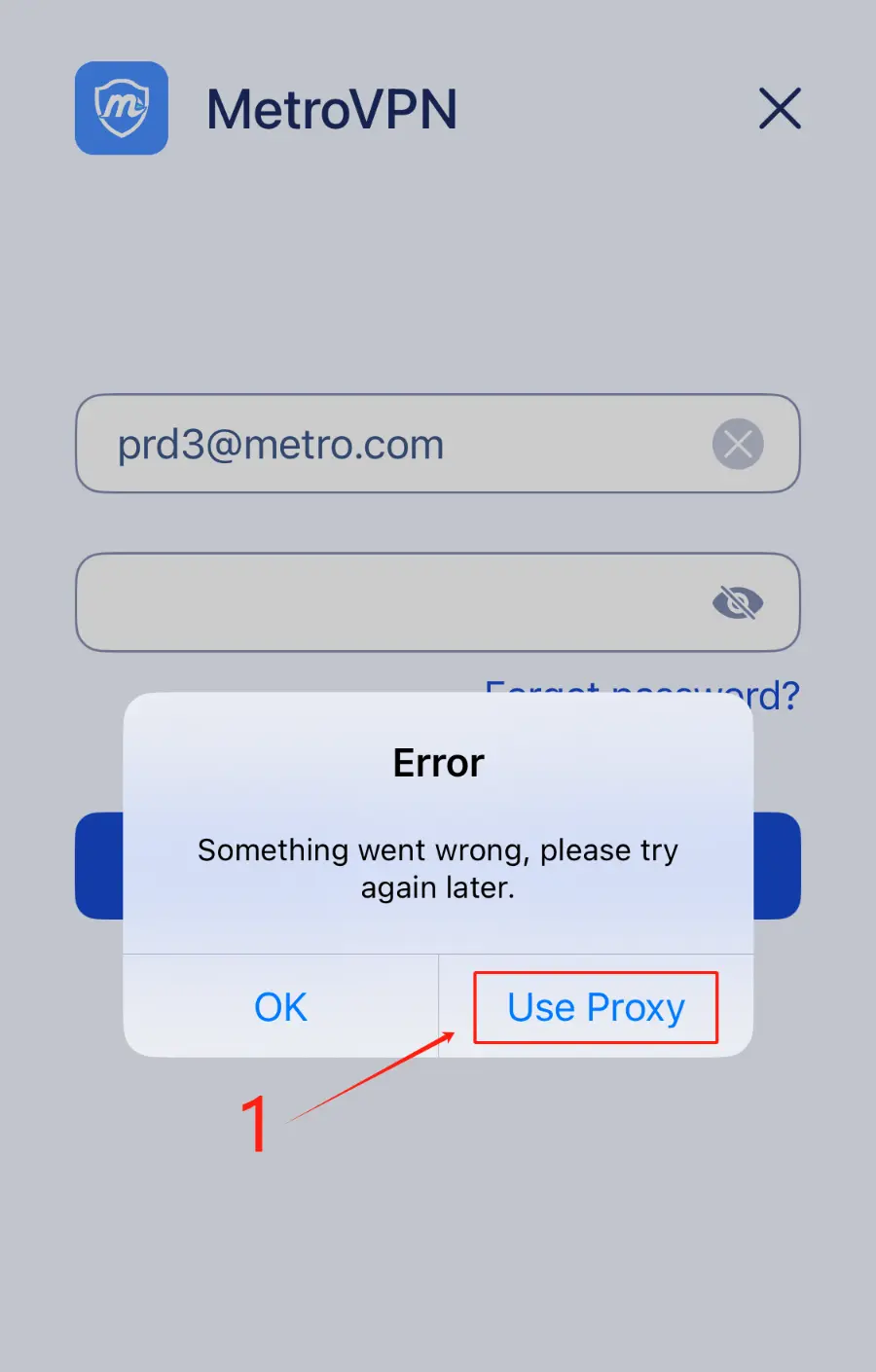
① When the login fails, click "Use Proxy."
② Turn on "Use Proxy."
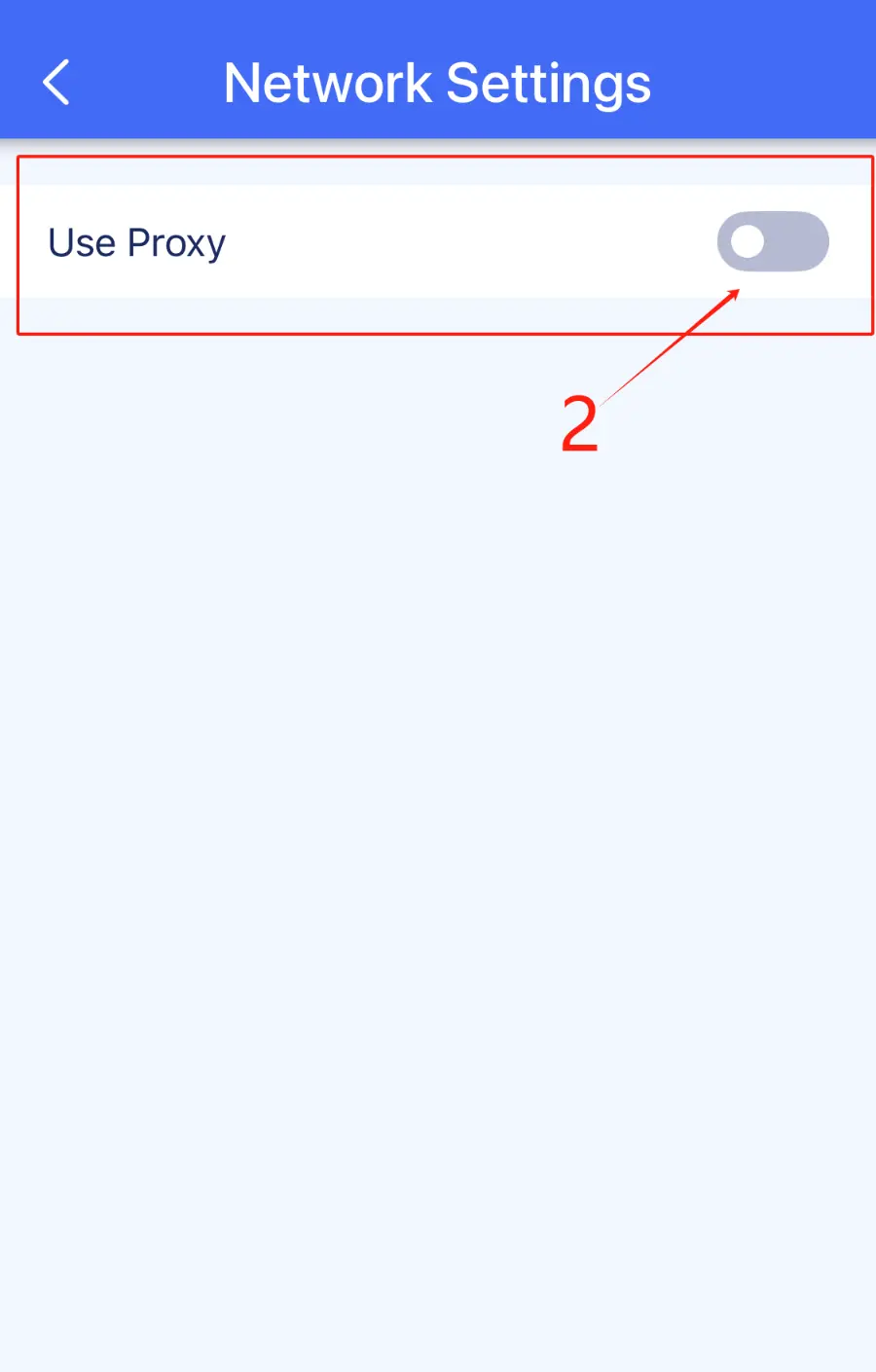
③ Choose SOCKS5 or HTTP proxy (iOS version is below 17.0, please use the HTTP server address).
④ Enter the proxy details.
⑤ Click "Done" and try logging in again.
You can also edit the proxy settings in "Settings" >> "General" >> "Network Settings."
Pro Tips:
• Make sure that the proxy server you are using is reliable and properly configured.
• If you continue to experience login issues, consider checking your internet connection or contacting MetroVPN support for further assistance.
Was this article helpful to you?
Can't find what you need?
If you need further assistance, feel free to reach out to us for help.